Paste your site. Get the launch video.
A launch video generator that reads your site, puts your real screens on devices and cuts it all to music. 15, 30 or 45 seconds in 9:16, 1:1 or 16:9, priced before it renders.
- Lengths from a link
- 15 · 30 · 45 s
- Aspect ratios
- 3
- Credits for a 15 s launch video
- 31
- Channels to post it to
- 7
Paste a link. Pick a length. Render.
 From a link
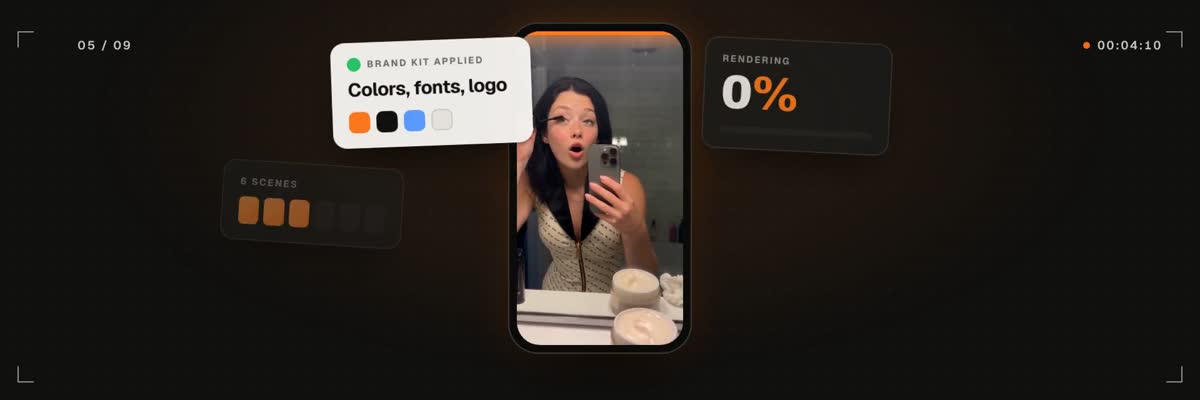
The link start in the composer: paste your site, choose 15, 30 or 45 seconds and a ratio, pick a track, and the scenes are built from the page itself.
What does a launch video generator make?
A launch video is the short film you post the day something ships: the product name, the one claim that matters, what it does and where to get it. A launch video generator makes that film from your site instead of from a storyboard, a motion designer and a week of back and forth.
Paste your site into the link field. The page is read for what belongs on screen: the product name, the headline claim, the brand colors, the logo and the screenshots worth showing. Those screenshots are placed on devices, the scenes are written around them, and every cut lands on the beat of the track you picked.
What comes back is motion graphics in your brand. Not stock footage, and not an avatar reading your homepage out loud.
Three ways to start a launch video
The link is the fastest start because your site already holds the brief. Two more starts cover the launches a site does not explain yet.
- From a link: paste your site and get a launch video at 15, 30 or 45 seconds.
- From your idea & media: write a brief, add up to 20 of your own clips, screenshots and images, and set any length from 5 to 90 seconds.
- Like a video you love: paste a TikTok, Instagram, X or YouTube link, or upload a file. It studies the pacing, type, motion and layout, then makes the same kind of video for your brand, without the reference's logos, faces or text.
Which length and ratio should a launch video use?
Fifteen seconds is a teaser: one claim and a name. Thirty seconds holds the claim, a few features and a call to action, which suits most launch posts. Forty-five seconds gives each feature room when the page has more to say.
Each render comes in the ratio you pick. For a second placement, render the same link again in the other ratio.
- 16:9 for YouTube, the Product Hunt gallery and the hero of your own site.
- 1:1 for LinkedIn and square feed posts.
- 9:16 for Reels, TikTok and Shorts.
How is the music chosen?
Pick a track from the built-in library after listening to it, upload your own mp3, wav or m4a, or go without music. With a track on, scenes are cut to the beat: a card lands on the kick, a word changes on the snare. That timing is most of what makes a launch film feel finished instead of assembled.
From render to posted
The finished video lands in your library. Open it in the video editor to trim it or add captions, then schedule it to TikTok, Instagram, YouTube, X, LinkedIn, Facebook and Pinterest from one queue. The launch video and the launch post go out from the same place.
The same line runs in the assistant chat, which asks for any media it is missing and plays music previews before you choose. Your own agent can reach it over MCP, with the price quoted before anything renders.
How it works
- 01
Paste your site
The link field reads the product name, the claim, the colors, the logo and the screenshots.
- 02
Pick a length, ratio and track
15, 30 or 45 seconds. 9:16, 1:1 or 16:9. A library track, your own file, or none.
- 03
See the price. Render.
The quote shows before anything runs. Confirm, and the film lands in your library a few minutes later.
- 04
Schedule the launch
Post it with the launch copy to any of 7 channels from one queue.




What does it cost?
A video from your link is 31 credits for 15 s, 38 for 30 s and 46 for 45 s, including the site capture, device renders and an art-direction pass. Videos from your idea & media or from a video you love run from 13 credits at 5 s to 55 at 90 s. You see the exact price before you confirm, and a render that fails is refunded in full.
Questions, answered
Your launch film. One link away.
Paste your site, pick a track, see the price. Then schedule it next to the launch post.
Rated 4.9/5 by 180+ content teams · First video in about 7 minutes · Nothing goes live until you schedule it