How to Use AI to Batch-Create Platform‑Specific UGC Video Creatives for Facebook, TikTok, and Instagram
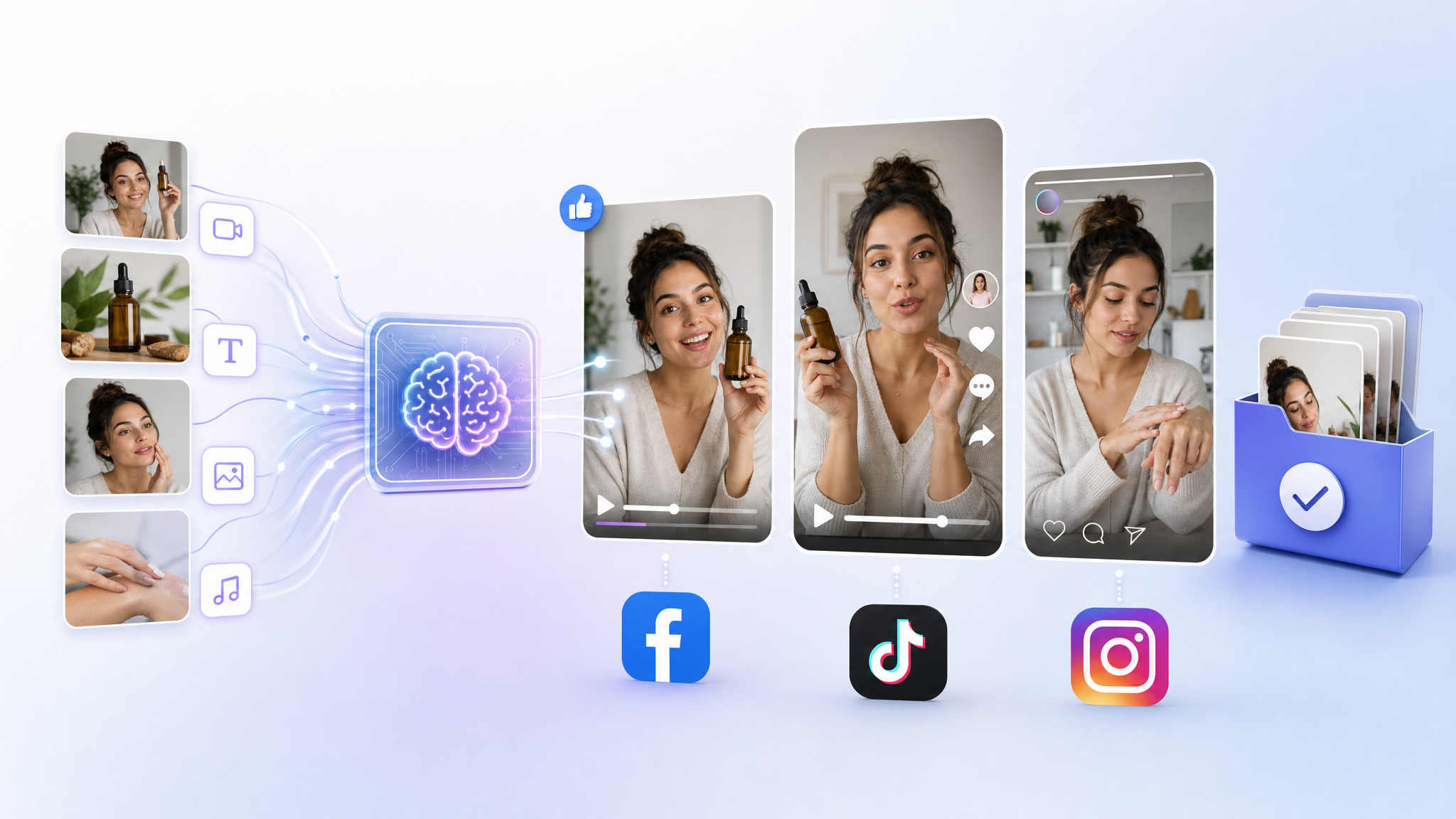
If you want to batch-create platform-specific UGC videos with AI, use an AI UGC generator to turn a product URL or short brief into avatar-based, lip‑synced spokesperson videos, then export multiple cuts per platform (9:16 for TikTok/Reels, plus 1:1 or 4:5 for feed) at 15/30/60 seconds. Keep scripts in a standard UGC structure (hook → single idea → quick example/demo → CTA), add large high‑contrast captions within the safe zone, and plan variations by swapping only the first 3 seconds (the hook). Choose avatars and language to match your audience, apply a Brand Kit for consistency, then publish or schedule across Facebook, TikTok, and Instagram. After launch, monitor performance, rotate creatives on a fixed cadence, and regenerate new variants based on winning hooks and angles.
What is UGC in ads, and why use it?
User-generated content (UGC) in ads is content that looks like it was made by real customers or everyday creators—self-shot, informal, often testimonial-style. Advertisers use UGC-style videos on Facebook, Instagram, and TikTok to increase trust and improve performance.
How does AI generate UGC-style videos at scale?
Modern AI UGC tools can create avatar-based, lip‑synced spokesperson videos from a short text script, a product URL, or a brief input—reducing the need for manual filming. Most generators follow a similar flow:
- Paste a product URL or enter a short brief
- Select an avatar (demographics, style, setting) and choose language/voice/tone
- Pick a duration preset (commonly 15, 30, or 60 seconds)
- Select aspect ratio (commonly 9:16, 1:1, or 16:9)
- Generate the video automatically
Some tools can crawl a product page URL to pull images, titles, and descriptions and then draft 5–10 UGC-style script variations with different hooks and angles. Many also support direct export to TikTok, Instagram, Facebook, and sometimes Shorts.
How should your UGC scripts be structured?
A reliable structure for UGC ads is:
- Hook (first 1–3 seconds)
- One core idea
- One example or mini demo
- Clear call to action (CTA)
AI can draft short scripts from hooks and content pillars; a human then edits for brand voice and clarity. Teams often build a hook library (10–15 structures like curiosity, problem–agitate–solve, social proof, direct benefit) and centralize scripts and hooks in a shared workspace to accelerate future variations. Use data from existing ad accounts—best hooks, angles, pain points, and CTAs—to inform new scripts.
How do you plan a month of content in one batch?
A common scalable plan is to:
- Define 3–5 content pillars (e.g., educational, behind-the-scenes, product, social proof, entertainment)
- Map a month of concepts in a spreadsheet calendar
- Generate AI script drafts per pillar, then human‑edit
- Batch-generate avatar videos in one or two sittings while renders run in the background
This approach lets you create an entire month of short-form content in a single day.
Which avatars, voices, and languages should you pick?
- Match your audience: specify age, gender, pain points, use cases, objections, and desired tone so hooks and language fit your ideal buyer.
- Choose authenticity over polish: some generators recommend a presenter who resembles a typical customer rather than a glossy influencer for higher perceived authenticity on Meta and TikTok.
- Demographic range: many platforms offer avatars across demographics and styles (casual, professional, edgy, friendly) and let you pick emotions (e.g., happy, surprised) with matching voice and facial expressions or lip-sync.
- Localize: multi-language options help you match the language or dialect your audience uses.
How do you adapt one concept for Facebook, TikTok, and Instagram?
Start from a base UGC cut, then create platform-specific versions. Some AI editors detect micro‑moments (problem statements, demos) and recut lengths and formats automatically while preserving pacing and captions. Keep on‑screen text and captions in the safe zone to avoid UI overlap.
Platform tips and formats:
| Platform | Primary placements | Aspect ratios | Typical lengths | Hook and edit notes |
|---|---|---|---|---|
| TikTok | Feed/Reels-style | 9:16 | 15–30s (also test 6s hooks) | Punchy hook in 1–2s, native-style editing, frequent cuts |
| Instagram Reels/Stories | Vertical short-form | 9:16 | 15–30s | Strong overlay text, keep safe zone clean |
| Facebook Feed/Reels | Feed + vertical | 1:1, 4:5 (feed) and 9:16 (Reels) | Up to ~30s | Slightly longer narrative acceptable, clear branding |
Best practices across platforms:
- Export vertical 9:16 for TikTok, Reels, and Facebook vertical placements; also prepare 1:1 or 4:5 for feed where relevant.
- Use large, high‑contrast captions; many tools can auto-generate and style captions and place them within safe areas.
- Apply a Brand Kit (logo, colors, fonts) to maintain consistency across batches.
TikTok caption tip: use 3–5 relevant hashtags plus key niche keywords in the caption; avoid overstuffing.
What should you keep constant—and what should you vary in testing?
For fast learnings, keep the body, avatar, and CTA constant, and only swap the first 3 seconds (the hook). Use AI to produce 5–10 hook variants from the same URL or brief and test systematically. After launch, review analytics and iterate: tweak first frames, hooks, headlines, or CTAs, then regenerate new UGC variants based on what wins.
Creative rotation: practitioners often see creative fatigue appear 3–5 days before performance drops, so many rotate on fixed schedules (e.g., day 7 and day 14) instead of waiting for decline.
How do approvals, compliance, and deployment work in a batch flow?
- Compliance first: define allowable claims for your offer and check platform ad policies (e.g., health and prohibited content lists) before generating creatives.
- Stakeholder review: send a batch of AI-generated UGC videos for quick approval, then launch.
- Export and scheduling: many UGC tools support direct export/publishing to TikTok, Instagram, and Facebook. You can also use native platform schedulers or third‑party schedulers to queue posts to audience‑active times and maintain cadence.
- Advanced ops: batch-upload to ad accounts with structured naming and UTM codes (encode hook ID, format, and offer) so you can compare performance across variations.
A practical one‑day batch workflow (example)
- Research: pull winning hooks/angles from your existing account and public ad libraries; clarify audience and objections.
- Plan: set 3–5 content pillars; outline ~30 hooks in a spreadsheet.
- Script: use an AI language model to draft short scripts from those hooks; human‑edit for voice and clarity.
- Generate: paste product URLs or briefs into an AI UGC tool, select avatars (matching your audience), choose language/tone, set 9:16, and generate 30 videos at 15–30s.
- Captions: auto‑generate large, high‑contrast captions placed in the safe zone.
- Variants: keep body/CTA constant; generate several hook‑only swaps.
- Platform cuts: create extra edits where needed (e.g., 6s TikTok hooks, 15s Stories, 30s feed). Some editors auto-detect micro‑moments to speed this up and can patch small gaps with generated overlays.
- Brand consistency: apply your Brand Kit across all outputs.
- Exports: prepare 9:16 for vertical placements and 1:1 or 4:5 for feed as needed; also create static image variants of top concepts to widen testing surface.
- Approvals and launch: send for quick sign‑off, then publish or schedule to Facebook, Instagram, and TikTok.
- Iterate: monitor results, refresh hooks, and rotate creatives on a fixed cadence.
Extra tips for scale
- Choose avatars that look like typical customers for authenticity on Meta and TikTok.
- Use multi-language options where relevant; match localized language to your audience.
- Some platforms offer low‑cost trials, which can be useful to validate whether AI UGC can scale your account before larger commitments.
- Keep a shared library of hooks, scripts, and winning angles to accelerate future batches.
Frequently asked questions
- What lengths and formats should I export for Facebook, TikTok, and Instagram?
- Common presets are 15, 30, and 60 seconds. Use 9:16 for TikTok and Reels/Stories, and also prepare 1:1 or 4:5 for Facebook and Instagram feed placements. Many AI tools let you choose among 9:16, 1:1, and 16:9 before generation.
- Do I need real influencers, or can AI avatars work for UGC ads?
- AI UGC tools can create avatar-based, lip‑synced spokesperson videos that mimic human UGC from scripts or product URLs. Some recommend choosing a presenter who looks like a typical customer rather than a polished influencer to increase perceived authenticity on Meta and TikTok. You can test both.
- What’s the fastest way to find winning hooks?
- Keep the body, avatar, and CTA constant and swap only the first 3 seconds (the hook). Some tools can generate 5–10 script variations with different hooks from a product URL. Use past account data—winning hooks, angles, pain points—to guide new variants.
- How often should I rotate creatives?
- Creative fatigue is often observed to appear 3–5 days before performance drops. Many practitioners rotate on fixed schedules (for example, day 7 and day 14) rather than waiting for metrics to decline.