How to Automate Influencer-Style UGC Videos for Product Launches with AI
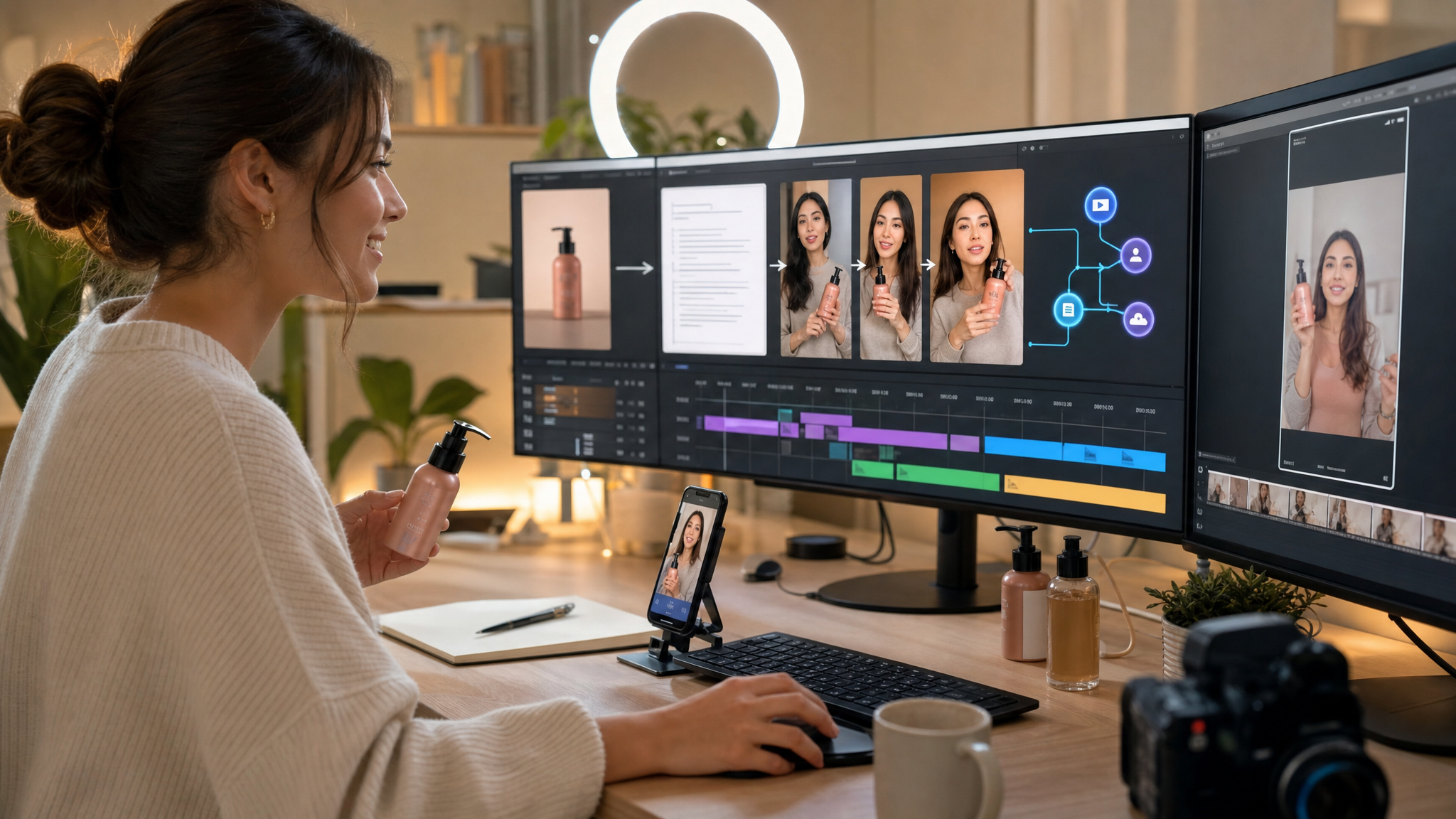
You can automate influencer-style UGC videos for product launches by feeding structured product data (a product image, name, and short description) into an AI-driven workflow that generates scripts and persona guidance, produces short vertical videos (often ~12 seconds), adds captions and hashtags, and auto-posts across major social platforms—without manual filming.
What does “automating influencer-style UGC with AI” mean?
Influencer-style UGC (user-generated content) videos are short-form ads that look and feel like creator-made clips. With modern AI video generators, text models, and workflow tools, these can be produced end‑to‑end from product inputs instead of human recordings, enabling ready-to-deploy short ads for launches and drops.
How does an end-to-end AI UGC workflow work?
A common automated sequence looks like this:
- Trigger: A new product is added or updated in your commerce system.
- Inputs: Product image, name, and a short description or feature list.
- Persona + scripts: A language model analyzes the product (and can assess the image) to invent an ideal influencer persona and write multiple short UGC scripts with hooks, benefits, and a clear CTA.
- Video generation: A text-to-video model creates influencer-style footage from the script/prompt, often outputting ~12-second vertical clips in current workflows.
- Post-production: AI adds captions, B‑roll overlays, sound effects, background music, and platform-optimized text posts with hashtags, often in batch.
- Formatting: The video is resized/formatted for short-form placements and exported as an MP4 compatible with common e‑commerce and ad platforms.
- Distribution: Automation posts the finished video and captions to multiple major social platforms via their APIs.
What inputs do you need to start?
- A high‑quality, centered, well‑lit product image
- Product name
- Short description or feature/benefit list
- The video’s purpose (e.g., testimonial, review, how‑to, or casual explainer) so scripts and visuals match the story you want
How do you generate compelling scripts and personas automatically?
- Use a language model to analyze your product text—and, if available, your product image via vision capabilities—to produce an influencer persona profile (demographics, style, tone) that guides the ad.
- Generate multiple short scripts designed for ~12 seconds (best-practice UGC scripts are short—generally 15–20 seconds or less). Include a strong hook, one clear benefit, and a simple CTA.
- Specify camera style to mimic authentic phone-shot content (e.g., handheld feel, slight zooms) directly in the prompt.
Can AI generate the on-screen influencer and realistic scenes?
Yes. AI systems can create AI influencers or avatars that speak, emote, and interact with the product. Tutorials show combining these “talking actors” with product B‑roll and POV unboxing shots to increase realism—without any human on camera. Many practical guides also cover fully faceless or avatar-based content using voiceovers, captions, and B‑roll.
How long should the videos be and what format works best?
- Length: In many current pipelines, AI-generated UGC clips are about 12 seconds each. That aligns with best-practice guidance to keep UGC scripts short (generally 15–20 seconds or less).
- Aspect ratio: Use vertical 9:16 for short-form feeds; many AI workflows default to this for product-launch creatives.
How do you scale variants, languages, and markets?
- Generate multiple variants per product by changing hooks, CTAs, languages, or camera styles. AI makes creative variation fast, so test widely to find top performers.
- For multi-market launches, duplicate generation steps and adapt scripts to different languages or markets while reusing the same visuals to scale localization with minimal extra effort.
Can you remix proven videos as references?
Yes. Some tools let you upload a viral reference video and specify desired changes. The system can mimic pacing and structure while swapping the product, hook, or visuals. Alternate workflows extract frames or screenshots from a sample video, upscale images, animate them into ~12‑second clips, then assemble and sync with voiceover in a video editor.
How do you automate distribution?
Automation frameworks can orchestrate multi-step UGC workflows and auto-post to major social platforms. A documented pattern is: product added → script and 12‑second influencer-style video generated → captions and hashtags written → video formatted → auto-posted across major short-form placements—no manual uploading.
What about post-production and file exports?
Typical automated steps include batch captioning, B‑roll overlays, sound effects, and music. Formatting/conversion nodes handle resizing and exports. Many AI UGC platforms offer platform-ready MP4 files compatible with popular e‑commerce pages and ad managers.
What quality checks should you still do?
Even in fully automated pipelines, a quick human review is recommended:
- Clarity: Is the hook instantly clear and on-product?
- Narrative flow: Does the message land in ~12 seconds without feeling rushed?
- Realism: Are movement and voice natural, with appropriate tone and emotion for the niche?
- Visibility: Is the product well-lit, centered, and easy to recognize?
- CTA: Is the desired action explicit and simple?
How do you set this up before launch day?
Pre-launch, configure an always-on trigger so that whenever a new product is added (or updated) in your store, the automation creates one or more influencer-style videos, plus captions and hashtags, in near real time. This supports drops and rapid launch calendars without manual filming.
Example blueprint you can adapt
- Step 1: Trigger on new/updated product in your commerce system.
- Step 2: Collect structured inputs (image, name, short description/features).
- Step 3: Generate influencer persona from the product info (optionally using vision to assess the image).
- Step 4: Write multiple short UGC scripts (hook → benefit → CTA) and matching prompts.
- Step 5: Generate ~12‑second vertical videos (optionally with AI influencer/avatars + B‑roll/POV unboxing).
- Step 6: Auto-add captions, music/SFX, and platform-optimized text posts with hashtags.
- Step 7: Format/resize and export MP4s compatible with your e‑commerce/ad platforms.
- Step 8: Auto-post across major short-form platforms.
- Step 9: Human QA pass; iterate with quick variant tweaks (hooks, CTAs, lengths, languages).
Prompting tips for believable AI UGC
- Describe the scene like a brief to a human creator: where it happens, who’s on screen, how they interact with the product, camera style, and emotional tone.
- Include voice tuning and emotion guidance for AI actors (e.g., high-energy for fitness, calm for skincare).
- Specify product framing, lighting, and micro-movements (handheld, slight zooms) to match native phone content.
By anchoring your workflow to structured product inputs, short scripts with clear hooks and CTAs, and ~12‑second vertical clips, you can automate influencer-style UGC that’s ready to deploy on launch day—then scale it with variants, localization, and automated distribution.
Frequently asked questions
- What’s the minimum input needed to generate an AI UGC video?
- A product image, product name, and a short description or feature list are common starting inputs in modern AI UGC systems.
- Do I have to appear on camera?
- No. Many workflows create faceless or avatar-based influencer content using AI actors or voiceovers with B‑roll and captions—no human filming required.
- How long should I make each video?
- Many current pipelines generate ~12‑second clips. That fits best-practice guidance to keep UGC scripts short (generally 15–20 seconds or less).
- Can this be triggered automatically for every new product?
- Yes. You can set a pre-launch workflow so that when a new product is added or updated in your store, the system generates influencer-style videos, captions, and hashtags and auto-posts them to major social platforms.